
SMS Backup+1.5.11 - Google Play
You'll be able to see results in few seconds.
Publisher Description

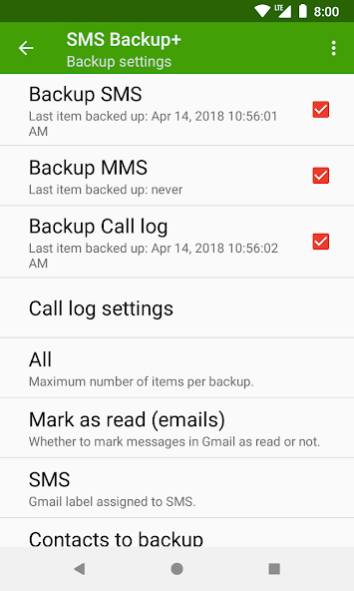
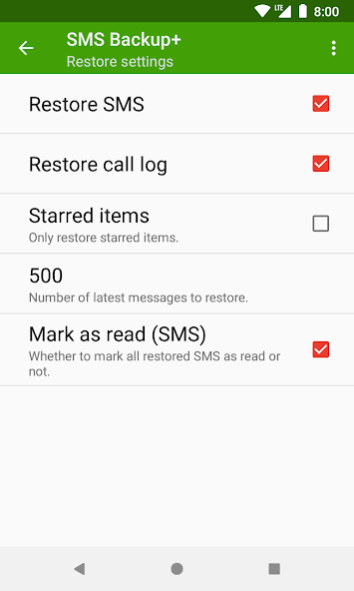
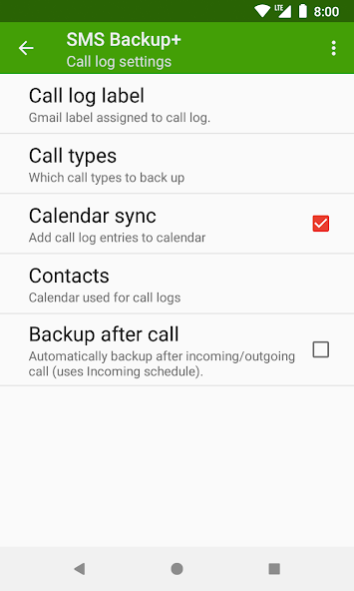
Automatically backup your SMS, MMS and call history with a separate label in Gmail and Google Calendar.
Later you can restore the saved data (except MMS) back to the phone, especially useful when switching to a new device.
IMAP access needs to be manually enabled in Gmail, see the website and FAQ for more information. You can of course use your own IMAP server for backups, giving you full control over your data.
SMS Backup+ is a free open-source project which has been in active development since the early days of Android, completely ad and tracking-free, supported through voluntary donations.
Many thanks to the numerous people who have donated, contributed feedback, code or translations – detailed credits can be found in the app or on the website.
About SMS Backup+
The company that develops SMS Backup+ is Jan Berkel. The latest version released by its developer is 1.5.11.
To install SMS Backup+ on your Android device, just click the green Continue To App button above to start the installation process. The app is listed on our website since 2018-04-22 and was downloaded 0 times. We have already checked if the download link is safe, however for your own protection we recommend that you scan the downloaded app with your antivirus. Your antivirus may detect the SMS Backup+ as malware as malware if the download link to com.zegoggles.smssync is broken.
How to install SMS Backup+ on your Android device:
- Click on the Continue To App button on our website. This will redirect you to Google Play.
- Once the SMS Backup+ is shown in the Google Play listing of your Android device, you can start its download and installation. Tap on the Install button located below the search bar and to the right of the app icon.
- A pop-up window with the permissions required by SMS Backup+ will be shown. Click on Accept to continue the process.
- SMS Backup+ will be downloaded onto your device, displaying a progress. Once the download completes, the installation will start and you'll get a notification after the installation is finished.
Program Details
System requirements
Download information
Pricing
Version History
version 1.5.11
posted on 2018-04-22
* More reliable auto backups
* Material UI with light/dark themes
* Runtime permissions on Android 6.0+
Disclaimer
Official Google Play Link
We do not host SMS Backup+ on our servers. We did not scan it for viruses, adware, spyware or other type of malware. This app is hosted by Google and passed their terms and conditions to be listed there. We recommend caution when installing it.
The Google Play link for SMS Backup+ is provided to you by apps112.com without any warranties, representations or guarantees of any kind, so access it at your own risk.
If you have questions regarding this particular app contact the publisher directly. For questions about the functionalities of apps112.com contact us.
